Levitara.lt
OBD-II Android diagnostic scanner
OBD-II Android diagnostic scanner
Couldn't load pickup availability
💳 Atsiskaitykite populiariausiais būdais










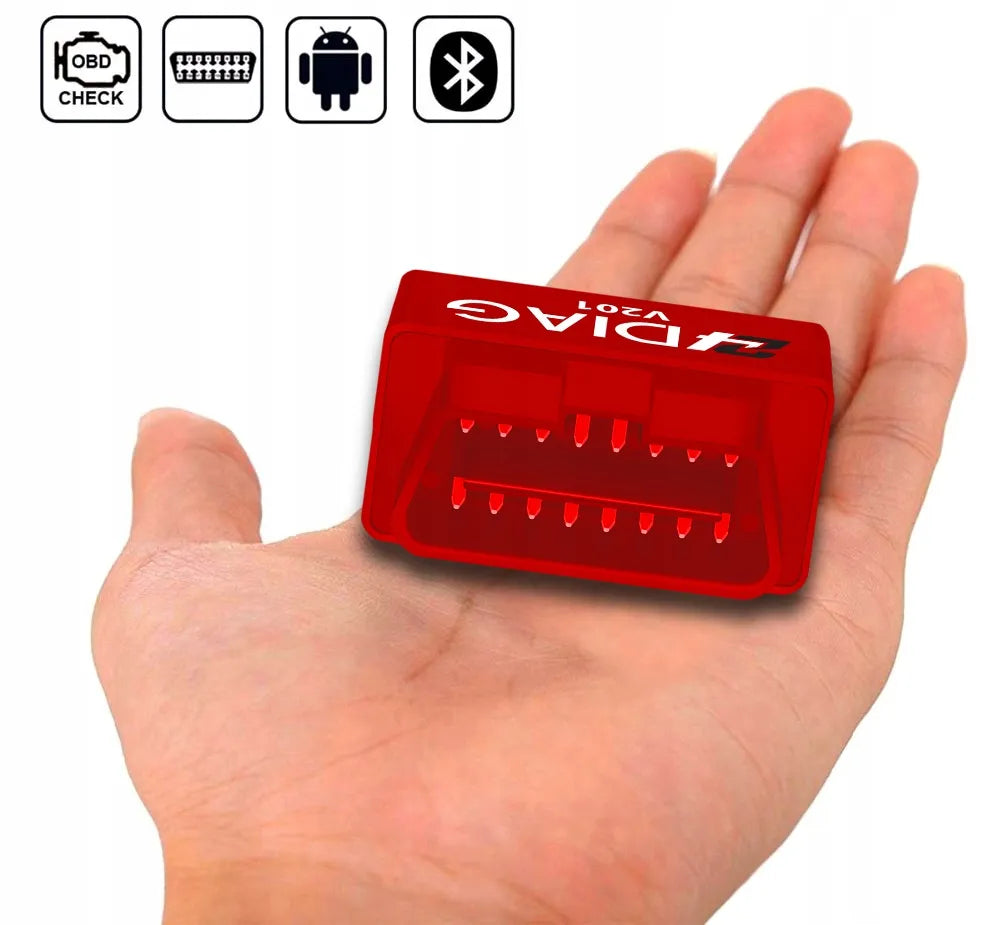
Discover a professional diagnostic tool – the 24Diag V201 Bluetooth diagnostic interface. This modern and reliable solution allows you to independently monitor your car's condition, read and clear fault codes, and monitor engine parameters in real time. This device ensures a smooth connection with Android and Windows devices, making maintenance simple and accessible for every driver. Due to its extremely low power consumption, the interface can be left in the OBD2 socket without the risk of discharging the car battery.
Effective Car Diagnostics with 24Diag
The 24Diag V201 interface is a universal tool, compatible with almost all cars that support the OBD2 standard (from 2001 for petrol and from 2004 for diesel models). The device allows you to read not only general but also manufacturer-specific fault codes, and perform various measurements, such as engine power or acceleration from 0 to 100 km/h. This is an excellent choice for those who want to save time and money searching for service centers.
Kit Contents
By purchasing the 24Diag V201 interface, you will receive everything you need to get started quickly:
- 24Diag V201 diagnostic interface
- Original packaging
- Detailed user manual in Polish (with a graphical connection process)
Why choose the 24Diag V201 diagnostic scanner?
This device is characterized by reliability and broad functionality. Evaluating the product according to the most important criteria, the following aspects can be highlighted:
- Advantages:
- Stable Bluetooth connection.
- Wide compatibility with Android and Windows application systems.
- Real-time engine parameter monitoring (LIVE DATA).
- Very low power consumption.
- "CHECK ENGINE" light extinguishing.
- Disadvantages:
- Lack of compatibility with iOS (iPhone) devices.
- Before purchasing, be sure to check if your car has a standard 16-pin OBD2 socket and supports OBDII/EOBD protocols.